
Democratizing local AI with LM Link
2026-09-14
The biggest blocker to running local, safe, private, sustainable AI isn’t the configuration, it’s the hardware cost. The sheer potential of the technology has ballooned the cost of memory to several times what it was only a few years ago. Unless you’re a platinum level gamer with a NASA-level computer that has every memory slot filled, utilizing any real local AI model comes with serious constraints because odds are you simply don’t carry the firepower to run any model worth replacing just using free Claude, ChatGPT, Gemini, etc.
In my last post I wrote about ZooCode, the agentic framework setup that allowed you to take your local AI models to the next level directly in your VSCode window. Today, I’m going to talk about how you can run those strong local models and call them in ZooCode without owning or even possessing the required hardware yourself. I can even call strong local AI models from my phone!
LM Link by LM Studio allows secure, remote access to AI models running on your own local hardware, from any device! It works like this: Instead of every single device needing its own memory and each running its own model, you can run a model on one machine, and use LM Link to route requests to that local API from elsewhere.
The important thing to consider here is that this doesn’t have to be YOUR machine. For the sake of experimenting with the technology, a trusted friend granted me the ability to mooch off of his hardware to test it out (He’s asked to remain anonymous).
Note: This is not a tutorial- but if you wanna learn how to set this up just check youtube there’s like a thousand tutorials on it.
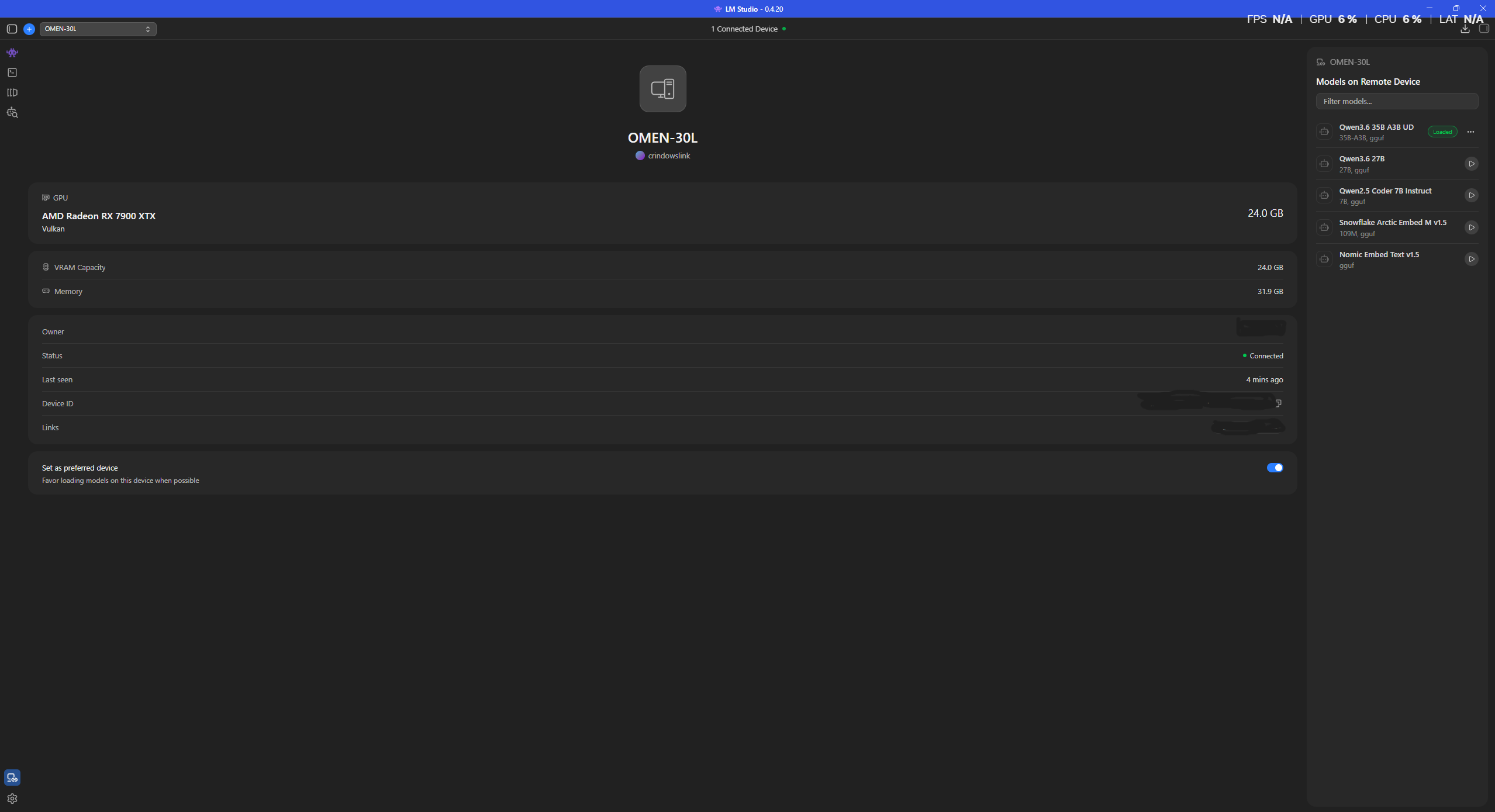
My current setup sports an Nvidia RTX 4070 with 12GB of VRAM. My pal here runs with an AMD RX 7900 XTX with 24GB of VRAM, as seen in the image here. By connecting to his machine via the same LM Link account, I’m getting access to double the memory in his 7900 XTX compared to my RTX 4070. Now, this doesn’t mean double the compute, as LM Studio’s llama.cpp CUDA backend (Nvidia exclusive) is more heavily optimized than the Vulkan/ROCm counterpart laid out for AMD cards, smaller models will see less of a bump here.
But that’s not what this is about. With double the memory, you can fit substantially bigger, more powerful models exclusively on the GPU without needing to offload. If a model is too big for your GPU’s VRAM, it will offload onto system memory, which tanks your token generation speeds. Bigger models generally mean better quality, though this varies based on developer. The 7900 XTX’s 24GB lets you keep 30-34B models entirely in VRAM, which is an entirely different tier of model quality and a significantly more impactful upgrade than having faster speeds on a worse quality model. This also allows one to revisit models that may have been too big on higher quants (A less shrunk down version of the model), and experience their full potential with the help of that additional memory.
Now, because you’re tapping into another machine remotely with this feature, you are restricted to the models loaded on the host machine. In this case, my friend had the unsloth 3.6 A3B 35B release I mentioned last post on-hand, so I decided to give it a go.
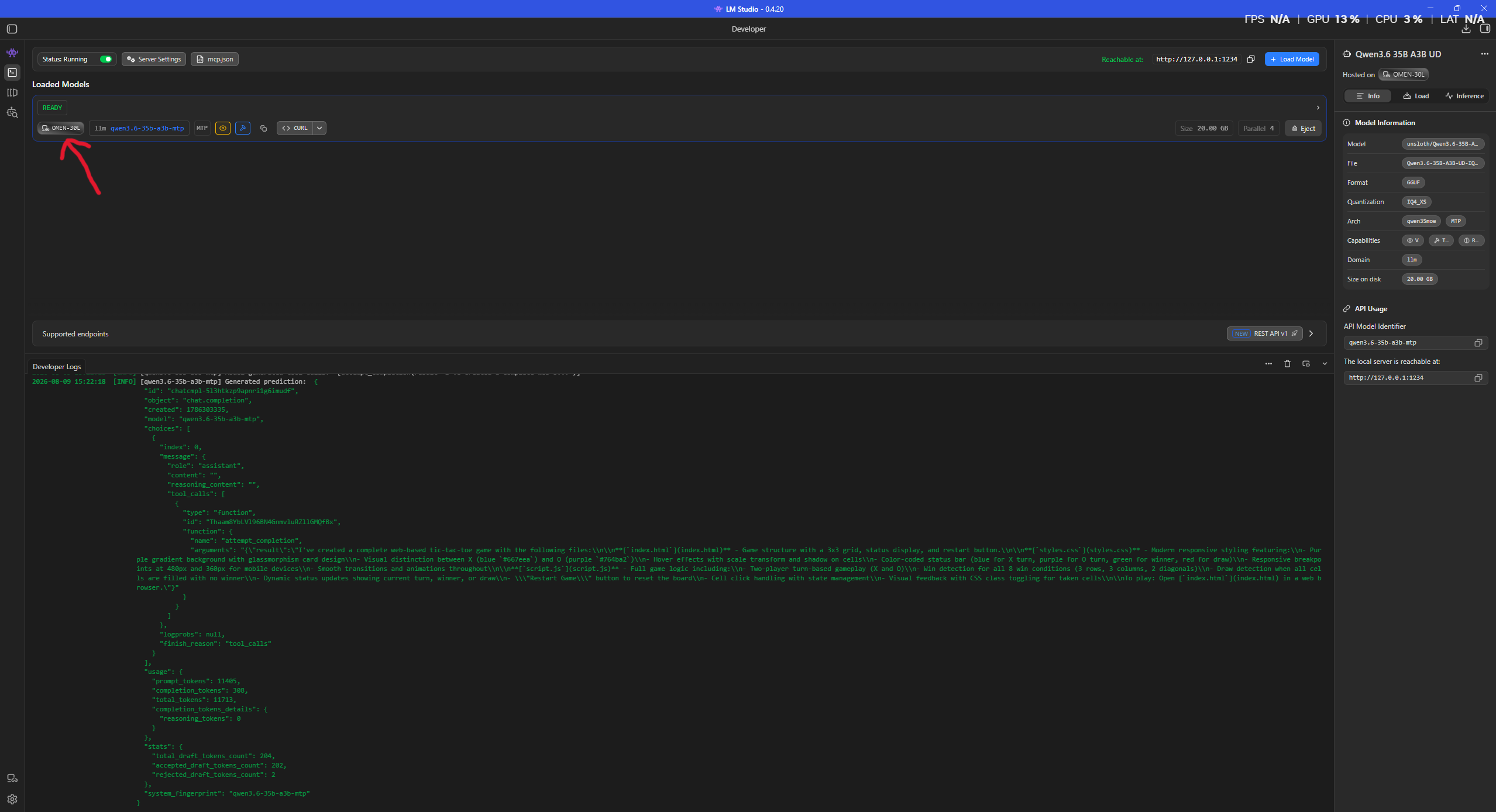
You can see from the classic youtube thumbnail red arrow here that there’s now a label in the panel for the loaded model that showcases the name of my friend’s machine. This indicates that this model is loaded remotely and I am simply accessing that local API securely through LM Link’s remote connection.
After hitting the model with a few queries, the results were very clear. The 7900 XTX clears the 4070 handily in terms of speed and performance, despite the advantages that come with Nvidia’s native CUDA platform. The 7900 XTX came out roughly 1.5x faster on average, boasting a seriously impressive 130 tokens per second in my testing. Incredible for a card with an MSRP under a grand. My 4070 comes out at around 85 t/s, definitely workable but nothing like the numbers the 7900XTX is boasting.
I don’t own an RX 7900 XTX, and yet, I was able to experiment with using it for local AI tasks thanks to the help of a trusted friend and LM Link.
The GPU barrier is officially dead. If you’d like to try this out, grab a trusted friend (With a good GPU) and check out the LM Link page on the LMStudio website here: https://lmstudio.ai/link
I’d like to think that this isn’t simply an enablement initiative and could become something bigger than that. Small businesses and AI startups could use this technology to remote into the compute they’ve invested in, and program using their own local AI without paying several hundred dollars a month in rented/subscription AI overhead. Students could take this as an opportunity to reserve, access, utilize, and learn about hardware owned by their school/university. Developers can bypass usage limits and vibe-code to their hearts content.
LM Link is a really, really cool resource in a world where good hardware for this kind of stuff is becoming more and more expensive. The global memory shortage caused by the AI explosion is certainly intimidating, it’s software like this that tells me that individuals will always find a way, so if you’ve got a pal with a good GPU, or a substantial amount of system memory, give this a try and let me know how it goes! -C